Page 1 of 5
Back to school
Posted: 15 Feb 2012, o 23:04
by DAGabriel
Hi guys, some of you commented on my houses and terrain pieces, thx for the kind words there.
As you will see, my problem is more in painting minis.
So if you could teach me to get better it would really help to keep you from getting sore eyes

I have been painting minis on a mediocre TT level for some years now and many friends like them, but i think they should be better.
Here some examples;
 Click to see full-sized image
 Click to see full-sized image
 Click to see full-sized image
 Click to see full-sized image
I have just traded a whole bunch of Hobgoblins and will try to use them to learn paintingif you would be so good and help me along.
Re: Back to school
Posted: 16 Feb 2012, o 01:23
by Maru
well i would advice 1 simple exorcize - paint minature in grey scale using only White end black color (of corse mixing thous two is allowed )
in this way you must use tonal spectrum not clor spectrum to paint a mini - thats the way to lern about light end shadow on sculpts
https://www.youtube.com/watch?v=WYZWDEmL ... re=related
on this link is color theory in simple way
-- trayed to find this W/B minatures end lesons we alrdy give to others to show you an example .. but i have no idea wher it desapears .. meybe Mahon will know wher they are now
BTW - what primer yuo use for this minatures ??
Re: Back to school
Posted: 16 Feb 2012, o 06:20
by DAGabriel
GW Skull White for 1 and 4, 2k priming with skull white on chaos black for 2+3. Will try to start in the evening.
Re: Back to school
Posted: 16 Feb 2012, o 12:10
by mahon
I think it was only
in Polish, but an expanded English version will be published soon.
Re: Back to school
Posted: 16 Feb 2012, o 12:23
by Maru
mahon wrote:I think it was only
in Polish, but an expanded English version will be published soon.
havent we translated this to EN ?? ..

upppssss ...
end exorcize is wher - yo know the 1 when youuse only 2 paints ?? to get monohromatic effect in RW without swiching things in digital program ,..
eny way
@ DAGabriel
thats your goal :
https://www.coolminiornot.com/pics/pics1 ... bbec9c.jpg
https://www.coolminiornot.com/247452?browseid=541001 (without red)
https://www.coolminiornot.com/pics/pics1 ... c5a57a.jpg
https://www.coolminiornot.com/pics/pics8 ... e68fd3.jpg
end bright primers belp with details end actualy glazing - so nothing to change from this part
Re: Back to school
Posted: 16 Feb 2012, o 15:10
by Corvus
I think you lack a bit of brush control, or the ability to put the right amount of paint on a brush. For example the way you highlighted the straps of cloth on the first miniature: this looks very sloppy. The shirt on the goblin also doesn't look very smooth.
The good news is that this goes away with enough practice
Actually I like the goblin quite a lot, good contrast, only lacking some blacklining in some areas, and the shirt I already told you about.
Re: Back to school
Posted: 16 Feb 2012, o 21:09
by DAGabriel
Thanks for the first comments.
First a pic to show you my work place:
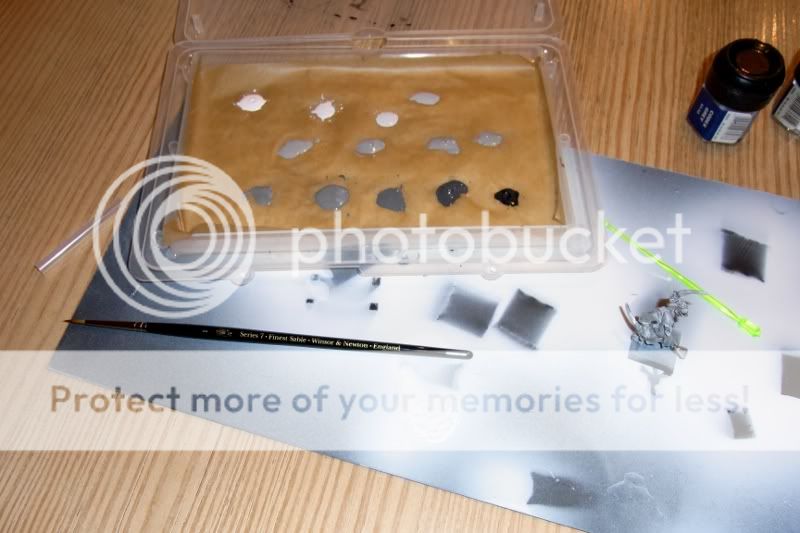 Click to see full-sized image
Second my first try, got a small problem here,it differs a little from my eyesight.
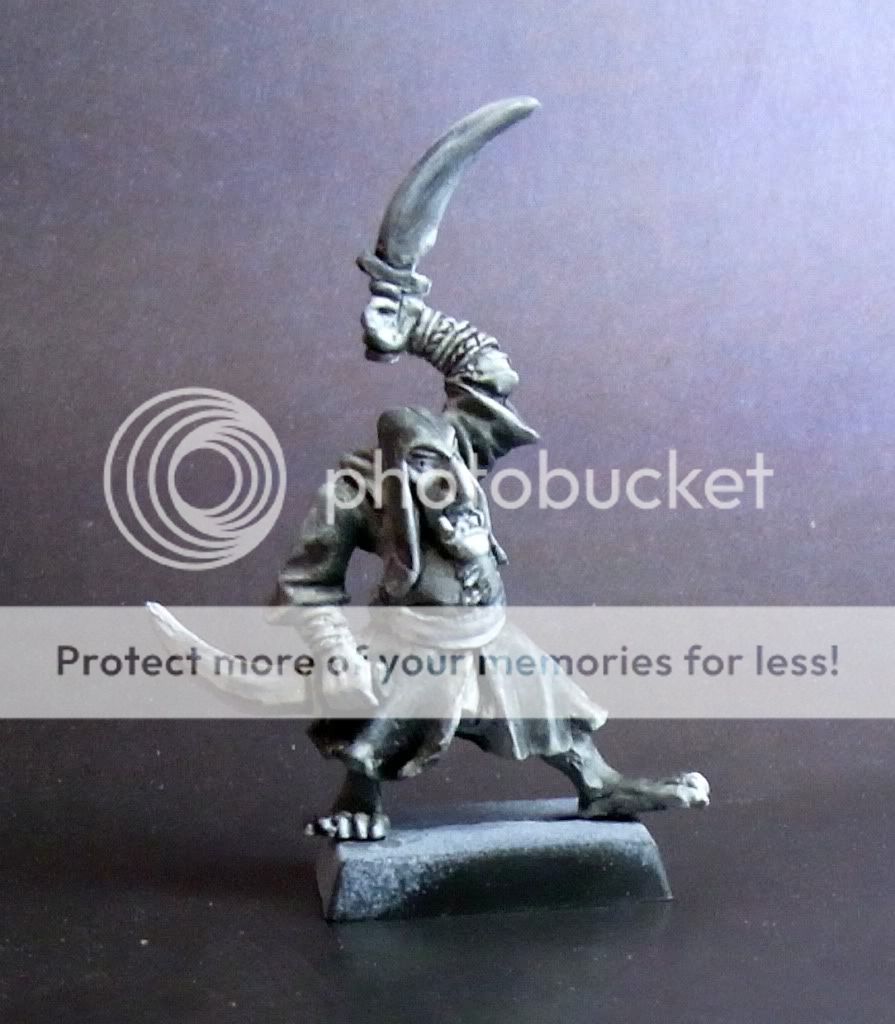 Click to see full-sized image
Re: Back to school
Posted: 17 Feb 2012, o 14:58
by Maru
not bad but not best
try to get another 1 but this time crate "dramatic" shadows in place of soft 1 you get
especialy on face try to gett all details
- similary as you would do on 2D painting - but o 3d
beside try to wach over details like fingers , tooths - try to make them look good end stand out - only by thous monohrome colors
^-^ - not easy but if you got this right all leater painting with colors will be easy as you wil alrdy know how to create shadows light end make things "pop" pot of sculpt
Re: Back to school
Posted: 17 Feb 2012, o 16:45
by DAGabriel
No quarters, got the next one prepared and primed, hope to manage it tomorrow.
Re: Back to school
Posted: 18 Feb 2012, o 20:59
by DAGabriel
Voila, No.2. This time i tried to leave most of the highlights white and than work into the shadows, only correcting where i destroyed the white.
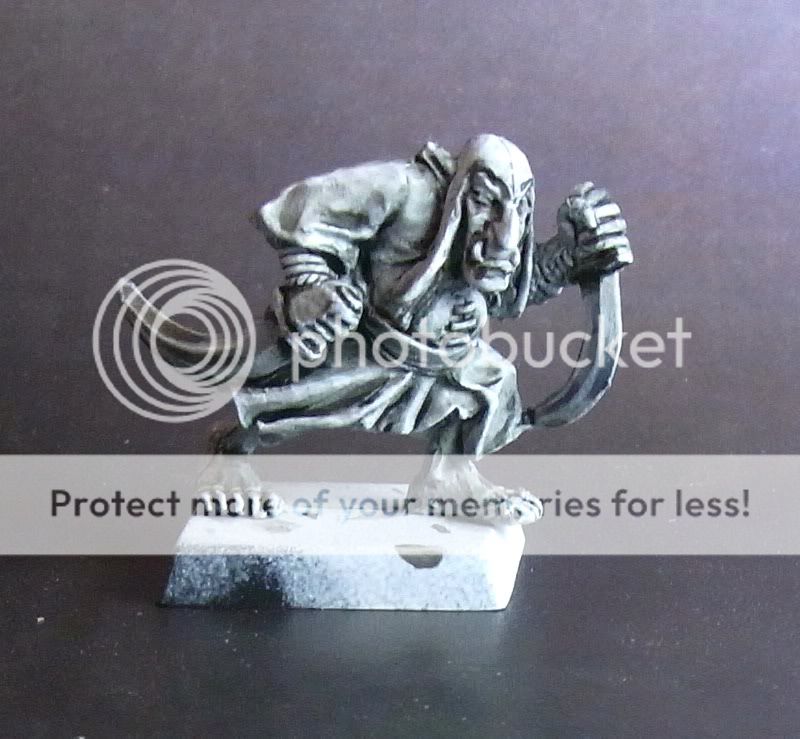 Click to see full-sized image
What do you think?


